
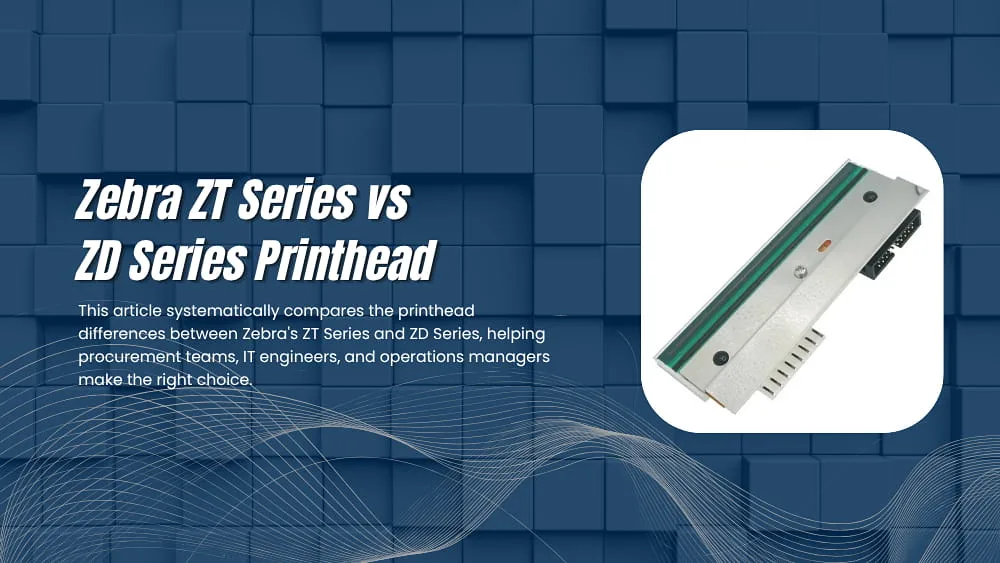
When selecting a Zebra label printer, the printhead is often the most overlooked yet most critical decision point. It determines not only print quality, but also directly affects media costs, downtime frequency, and long-term maintenance budgets. This article systematically compares the printhead differences between Zebra’s ZT Series and ZD Series, helping procurement teams, IT engineers, and operations managers make the right choice.
1. Why the Printhead Is the Core of Your Decision
The printhead is the most precise and most wear-prone component in a label printer. It determines print clarity, speed, and reliability — and it is also the single highest-cost item in ongoing maintenance. Choosing the wrong printhead type can result in blurry labels at best, and frequent unplanned downtime at worst, directly impacting warehouse fulfillment efficiency or retail operations.
Zebra’s ZT Series and ZD Series occupy fundamentally different market positions: the former targets industrial-grade, heavy-duty environments, while the latter is designed for lightweight desktop use. This difference in positioning is reflected not just in the physical chassis, but more importantly in the printhead’s construction, rated lifespan, replacement method, and media compatibility.
Bottom Line (read this first): If your daily print volume exceeds 2,000 labels, or if you require thermal transfer printing, choose the ZT Series. If you need a desktop solution for lighter use — under 500 labels per day — the ZD Series offers better cost efficiency.
2. ZT Series Printhead Overview
The ZT Series is Zebra’s flagship industrial printer line, covering models such as the ZT230, ZT410, ZT420, ZT510, ZT610, ZT620, and the newer ZT-D Series. These printers are widely deployed in manufacturing, warehouse logistics, airline baggage tracking, automotive parts labeling, and other heavy industrial applications.
Print Technology
ZT Series printers support both Direct Thermal and Thermal Transfer printing modes, switchable to suit different media types and durability requirements. In thermal transfer mode, the ribbon acts as a protective barrier between the printhead and media, significantly extending label life — ideal for applications requiring long-term readability or outdoor exposure.
Resolution Options
- 203 dpi — standard barcode labels
- 300 dpi — high-density text and QR codes
- 600 dpi (select high-end models) — precision medical labels, fine fonts
Printhead Specification Highlights
- Rated Printhead Life: Approximately 300,000 inches in direct thermal mode; thermal transfer mode extends effective life further due to ribbon protection
- Wear-Resistant Coating: Premium models such as the ZT610 and ZT620 feature hardened coatings for superior scratch resistance
- Print Width: 4 inches (ZT410 / ZT510 / ZT610) or 6 inches (ZT420 / ZT620)
- Maximum Print Speed: Up to 14 inches per second (ZT610)
Replacement Method
ZT Series printheads are typically secured with screws and require tools to remove, with replacement taking approximately 10–15 minutes. It is recommended that the first replacement be performed by a trained technician. Some newer models have introduced semi-tool-free designs to simplify the process.
Typical Use Cases
- E-commerce warehouses: high-speed batch shipping labels
- Manufacturing: parts serial numbers and traceability labels
- Logistics: carton marks and pallet labels
- Aerospace, automotive, medical, and other heavy industrial applications
3. ZD Series Printhead Overview
The ZD Series is Zebra’s desktop printer line, with models including the ZD220, ZD230, ZD420, ZD421, ZD620, and ZD621. These compact printers are designed around ease of use and rapid deployment, and are commonly found at retail point-of-sale counters, medical clinics, small warehouses, and office environments.
Print Technology
Entry-level ZD models (ZD220 / ZD230) support direct thermal printing only — no ribbon required — keeping operation simple and media costs low. Advanced models (ZD420 / ZD421 / ZD620 / ZD621) support both direct thermal and thermal transfer, providing greater flexibility.
Resolution Options
- 203 dpi — covers the vast majority of everyday labeling needs
- 300 dpi — available on select higher-end models
Printhead Specification Highlights
- Rated Printhead Life: Approximately 100,000–150,000 inches in direct thermal mode; due to lower print volumes, actual service life is typically comparable to the ZT Series
- Tool-less Replacement: ZD420 and ZD421 models support hands-free printhead swaps — no tools required, completed in under 10 seconds
- Print Width: Standard 4 inches
- Maximum Print Speed: Up to 6 inches per second (ZD420)
Replacement Method
The ZD Series’ greatest maintenance advantage is its tool-less printhead replacement design. Users simply press the release tabs to remove the old printhead and snap in the new one — no tools, no technical expertise required. Even front-desk staff with no technical background can handle it independently, dramatically reducing downtime.
Typical Use Cases
- Retail stores: price tags and receiving labels
- Medical clinics: medication labels and patient wristbands
- Small warehouses: shipping slips and shelf labels
- Office environments: asset tags and document management
4. Key Differences at a Glance
The table below summarizes the main printhead-level differences between the two series for quick reference and decision-making.
| Category | ZT Series (Industrial) | ZD Series (Desktop) |
|---|---|---|
| Print Technology | Direct Thermal + Thermal Transfer (dual mode) | Primarily Direct Thermal; advanced models support Thermal Transfer |
| Resolution Options | 203 / 300 / 600 dpi | 203 / 300 dpi |
| Rated Printhead Life | ~300,000 inches (direct thermal) | ~100,000–150,000 inches |
| Practical Service Life | 1–3 years under heavy use | 2–5 years under light use |
| Print Width | 4 inches / 6 inches | 4 inches (standard) |
| Maximum Print Speed | Up to 14 inches/second | Up to 6 inches/second |
| Printhead Replacement | Tool required, ~10–15 minutes | Tool-less, ~10 seconds (ZD420 series) |
| Wear-Resistant Coating | Hardened coating on premium models | Standard coating |
| Ribbon (Thermal Transfer) Support | All models supported | Not supported on ZD220/ZD230; supported on ZD420+ |
| Recommended Daily Volume | 2,000+ labels | 500–2,000 labels |
| Printhead Price Reference | USD $150–$400 | USD $50–$150 |
| Typical Applications | Warehousing, manufacturing, logistics, aerospace | Retail, healthcare, office, small warehouses |
5. Choosing by Use Case: Which One Is Right for Me?
The following recommendations are organized by common real-world scenarios so you can make a decision without diving into technical specifications.
Scenario A: E-Commerce Warehouse or Logistics Sorting Center
Recommended: ZT Series (ZT410 or ZT610)
Daily print volumes typically range from 5,000 to 50,000+ labels, with extremely high demands on speed and uptime reliability. The ZT Series’ industrial-grade chassis and high-endurance printhead minimize downtime risk and deliver a lower total cost of ownership (TCO) over the long term.
Scenario B: Retail Point-of-Sale Counter
Recommended: ZD Series (ZD420 or ZD421)
Print volumes are moderate, and ease of operation and compact footprint take priority. The ZD Series’ tool-less printhead replacement lets store staff handle maintenance themselves — no waiting for a technician, which keeps service costs down.
Scenario C: Healthcare Facility (Clinic or Hospital)
Recommended: ZD Series (ZD421 Healthcare Edition) or ZT Series high-resolution model
The right choice depends on the specific application:
- Patient wristbands and bedside cards → ZD421 Healthcare Edition (direct thermal, compatible with waterproof media)
- Pharmaceutical labels requiring 300 dpi precision → ZT410 300 dpi model
Scenario D: Manufacturing Parts Traceability
Recommended: ZT Series (Thermal Transfer mode)
Parts labels must survive harsh environments — high temperatures, oil exposure, and abrasion — for extended periods. Thermal transfer labels offer far superior durability compared to direct thermal. Combined with the ZT Series’ full ribbon support, label readability is preserved throughout the product lifecycle.
Scenario E: Small Office / Asset Management
Recommended: ZD Series (ZD220 or ZD230)
Print volumes are minimal and cost sensitivity is high. The ZD220 is the most affordable entry point, fully capable of handling everyday asset tags and envelope address labels.
Scenario F: Outdoor or Long-Term Label Storage
Recommended: ZT Series (Thermal Transfer mode)
Direct thermal labels are sensitive to UV light and heat, causing them to fade over time. For any labels requiring long-term legibility, thermal transfer is the only reliable choice. The ZT Series provides comprehensive thermal transfer support and broad ribbon compatibility.
Note: If your requirement is mobile printing — handheld, on-the-go, or in-vehicle — neither series is the right fit. Consider the Zebra ZQ Series mobile printers instead.
6. Printhead Lifespan and Maintenance Guide
Regardless of whether you choose the ZT or ZD Series, proper routine maintenance can significantly extend printhead life, reducing unplanned downtime and unnecessary replacement costs.
Recommended Cleaning Frequency
| Usage Intensity | Recommended Cleaning Frequency | Ribbon-Based Reference (Thermal Transfer) |
|---|---|---|
| Light (fewer than 500 labels/day) | Once per week | Clean with every ribbon roll change |
| Moderate (500–2,000 labels/day) | Every 3 days | Clean every two ribbon roll changes |
| Heavy (2,000+ labels/day) | Daily or per shift | Clean with every ribbon roll change |
Recommended Cleaning Tools and Methods
- IPA Cleaning Pen (Isopropyl Alcohol Pen): Zebra’s recommended tool for quickly removing oil and adhesive residue from the printhead surface
- IPA Cleaning Wipes: Ideal for thorough cleaning, including the platen roller and media path
- Cleaning Cards: Feed through the printer for internal cleaning — the simplest option with minimal hands-on effort
- Avoid standard rubbing alcohol, water, or any cleaner with abrasive components
Common Causes of Printhead Damage
- Using Low-Quality MediaRough-surfaced label stock or ribbons accelerate printhead wear. Use Zebra-certified media or an equivalent-grade brand whenever possible.
- Electrostatic Discharge (ESD)In dry environments, static electricity from the human body can permanently damage printhead circuitry. Always wear an anti-static wrist strap when handling the printhead, or at minimum discharge static by touching a grounded metal surface before contact.
- Debris in the Print ZoneDust, label fragments, and adhesive buildup on the printhead surface can cause white streaks at best and broken heating elements at worst.
- OverheatingHigh ambient temperatures or sustained high-speed printing can cause the printhead to overheat. ZT Series printers have built-in thermal management; ZD Series printers used at sustained high intensity should be monitored for adequate ventilation.
- Excessive Force During CleaningThe printhead surface is precision-engineered. Scrubbing with a hard object or applying too much pressure can cause irreversible scratches. Always clean with a light, gentle touch.
Signs That Your Printhead Needs Replacement
- Horizontal white lines (voids) that persist after thorough cleaning — indicating broken heating elements
- Overall faded print output that does not improve even after increasing darkness settings
- Consistent, repeating gaps or missing sections in printed content
- The printer reports a PRINTHEAD ERROR or related error code
7. Replacing the Printhead: Difficulty and Cost
ZT Series Replacement Steps (Overview)
- Power off the printer and disconnect the power cable
- Open the top cover and remove the ribbon and label media
- Use a screwdriver to remove the printhead retaining screws (typically 1–2 screws)
- Pull the printhead downward and disconnect the flex cable connector
- Connect the new printhead’s flex cable and reinstall in reverse order
- Reload media, power on, and run a calibration
Total time: approximately 10–15 minutes. It is recommended that the first replacement be performed by a Zebra-authorized technician and documented with a short video for future reference.
ZD Series Replacement Steps (Tool-Less Version)
- Power off the printer
- Open the top cover and remove the label media
- Press the release tabs on both sides of the printhead and rotate it upward to remove
- Align the new printhead with the slot and press firmly until it clicks into place
- Load label media, power on — ready to print
Total time: approximately 30 seconds to 1 minute. No tools required. Any staff member can perform this independently.
OEM Printhead vs Third-Party Printhead
| Category | Zebra OEM Printhead | Third-Party Compatible Printhead |
|---|---|---|
| Price | Higher (USD $150–$400) | Lower (USD $40–$150) |
| Quality Consistency | Guaranteed by Zebra’s quality control | Highly variable across brands |
| Warranty Impact | No impact on device warranty | May void the printer warranty |
| Compatibility | Full compatibility guaranteed | Occasional recognition issues on certain models |
| Best For | All scenarios, especially printers under active warranty | Out-of-warranty printers with cost pressure |
Recommendation: Always use OEM printheads while the printer is within Zebra’s warranty period. Once out of warranty, reputable third-party brands (such as Bravada or PrinterTechs) can be considered, provided they offer a clear product guarantee and return policy.
8. Frequently Asked Questions (FAQ)
Q1: Are ZT Series and ZD Series printheads interchangeable?
No. The two series use printheads with different physical dimensions, flex cable connectors, and heating element specifications — they are not interchangeable. Even if they look similar, never force one into the other, as doing so may damage the printer’s internal circuitry. Always verify the correct printhead part number for your specific model using the official documentation or the label on the back of the printer.
Q2: How often does the printhead need to be replaced?
It depends on usage intensity and maintenance quality. General reference points:
- ZT Series under heavy use (warehouse environment): Rated at 300,000 inches, roughly equivalent to 1–3 years
- ZD Series under light use (retail environment): Rated at 100,000–150,000 inches, with actual service life often reaching 3–5 years
Consistent cleaning habits and the use of high-quality media can extend printhead life by 20–30%. Most Zebra printers allow you to view cumulative print mileage in the settings menu — monitoring this figure lets you plan replacements proactively.
Q3: Will a third-party printhead affect print quality?
There is some risk. Third-party printheads may have slightly different heating element densities compared to OEM, which can result in uneven print darkness or require recalibration of print settings. Before going into full production, always print a test batch with your actual media to confirm quality meets your requirements.
Q4: How can I tell if the printhead is damaged?
The following symptoms typically indicate it is time for a replacement:
- Horizontal white voids (lines) that remain after thorough cleaning — a sign of broken heating elements
- Consistently faded output that does not respond to increased darkness settings
- Repeating gaps or missing areas in printed content
- The printer displays a PRINTHEAD ERROR or related error code
Q5: Do I need to recalibrate after replacing the printhead?
Yes, calibration is recommended. New and old printheads may have slightly different thermal characteristics, and running a calibration ensures proper label registration and optimal print darkness. Most Zebra printers can enter automatic calibration mode by holding specific buttons during power-on — refer to the user manual for your specific model.
Q6: Are there limitations to the ZD Series’ tool-less replacement design?
Tool-less printhead replacement is currently available primarily on the ZD420 and ZD421 models. The ZD220 and ZD230 still require tools for printhead replacement. Confirm this feature on the specific model before purchasing to avoid assuming the entire ZD Series supports it.
Q7: Can I replace the printhead myself, or do I need a Zebra technician?
Both series allow user self-replacement — Zebra does not require a certified technician to perform the swap (warranty terms aside). The ZD Series is straightforward enough for anyone to handle independently. For the ZT Series, it is advisable to have a knowledgeable person perform the first replacement while paying attention to ESD precautions. Subsequent replacements can be carried out by internal IT or equipment management staff.
9. Conclusion and Recommendations
The printhead differences between Zebra’s ZT Series and ZD Series ultimately reflect two fundamentally different product philosophies:
- ZT Series is built for high-intensity, high-reliability demands. If your environment requires printing thousands of labels per day at high speed, demands thermally transferred durable labels, or requires 24/7 uptime, the ZT Series is the uncompromising choice. Its higher printhead unit cost is offset by longer service life and reduced downtime losses.
- ZD Series is optimized for ease of use and lower cost of entry. Tool-less printhead replacement, a compact footprint, and a lower initial investment make it the ideal match for retail, healthcare, and office environments. As long as usage stays within its designed volume range, the ZD Series delivers excellent TCO.
Final advice: don’t just look at the printhead unit price — calculate the total cost of ownership (TCO). A cheap printhead installed in the wrong printer can end up costing far more through frequent downtime and replacements. Choosing the right series from the start is the most effective way to control your real-world budget.
Quick Decision Tree
- Daily print volume > 2,000 labels → ZT Series
- Thermal transfer (ribbon) printing required → ZT Series
- 600 dpi high-precision output needed → ZT Series (ZT610 / ZT620)
- Daily print volume < 2,000 labels, ease of use is priority → ZD Series
- Tool-less quick printhead swap required → ZD420 / ZD421
- Budget-conscious, low-volume entry use → ZD220 / ZD230
